



Deleting Your Account
How to deactivate and delete your PiTrade account, and what happens to your brokerage account first.
Overview
If you no longer want to use PiTrade, you can deactivate your account from the Account tab. Deactivating disables your profile and data immediately, and your account is permanently deleted after a 30-day grace period during which you can still restore it. If you have an active brokerage account with a real balance, you'll need to close it first before PiTrade can deactivate your profile.
Before you begin
- You'll need to be logged in and know your account password.
- If your brokerage account (Interactive Brokers) is open and it isn't a paper trading account, plan to close it first - you'll be guided through this if needed.
- Deactivation signs you out of all devices, so make sure you're ready before you start.
Steps
Starting account deletion
-
Tap the Account tab, then open your Profile.
-
Under the danger zone at the bottom, tap Delete Account. This opens the Delete Account screen, which explains that your account will be deactivated and permanently deleted after 30 days.
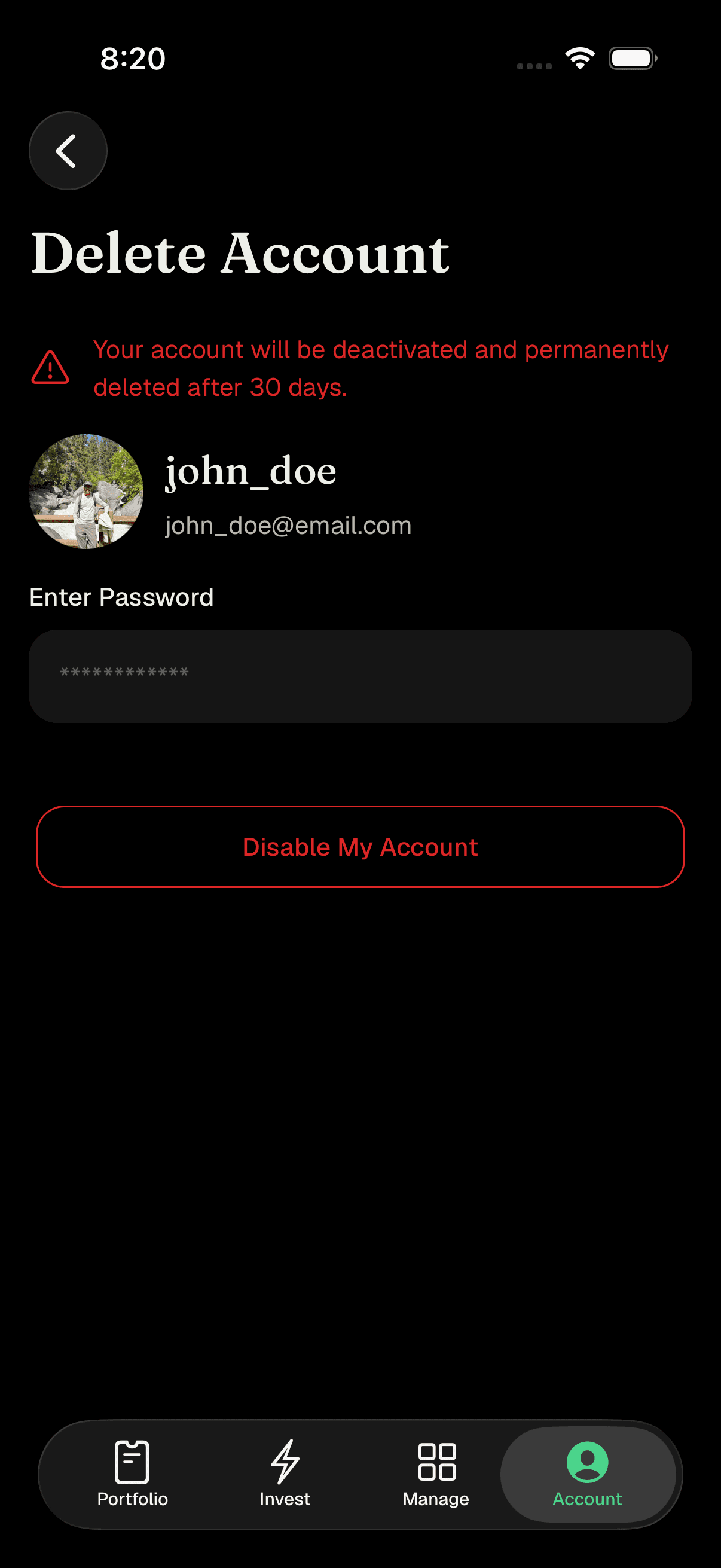
Delete Account screen showing warning, profile info, and password field -
Enter your current password in the Enter Password box.
-
Tap Disable My Account. If you leave the password blank, you'll see "Password is required." If the password doesn't match your account, you'll see "Incorrect password. Please try again."
If your brokerage account is still open
- If your Interactive Brokers account is active (and it isn't a paper trading account), PiTrade shows a Brokerage Account Active message explaining that your brokerage account must be closed before your PiTrade account can be deactivated.
- Tap Continue to be redirected to a secure page to close your brokerage account, or Cancel to stop. If PiTrade can't verify your network connection, you'll see a Network Error message asking you to check your connection and try again.
- Once your brokerage account is closed, come back to the Delete Account screen and start again.
Confirming deactivation
- If you don't have an open brokerage account (or it's a paper trading account), a Disable Account panel slides up after you enter your password. It explains that your profile and all associated data will be disabled, and that you can restore your account within 30 days - after that, it can't be recovered.
- Tap Disable to confirm, or Skip to back out without making changes.
- Once confirmed, PiTrade deactivates your account and signs you out of all devices, then returns you to the Login screen.
Tips
You have a 30-day window after deactivating where your account can still be restored - after that, it's gone for good.
Closing your brokerage account first avoids any interruption to open positions or pending trades.
Paper trading accounts don't need to be closed separately - you can deactivate your PiTrade account directly.
Troubleshooting & FAQ
If you have an open, real (non-paper) Interactive Brokers account, it needs to be closed first. Tap Continue on the Brokerage Account Active message to be guided through closing it.
PiTrade couldn't verify your network connection. Check that you're connected to the internet (try switching networks if needed) and try again.
Double-check for typos and make sure Caps Lock isn't on. If you've forgotten your password, use Forgot Password? on the Login screen to reset it first, then return to delete your account.
Yes - within 30 days of deactivating, your account can still be restored. After 30 days, it's permanently deleted and can't be recovered.
Your profile and portfolio data are disabled immediately and cleared from the app on your device. The account itself is kept for 30 days in case you want to restore it, then permanently deleted.