



Your Portfolio
See everything you're invested in - your total value, gains and losses, individual holdings, and any orders still in progress.
Overview
The My Investments tab is your home base for tracking money you've put to work on PiTrade. At a glance you can see your overall profit or loss, how much you've invested versus what it's worth today, the individual stocks you hold, and the Strategizer portfolios you've invested in. You can also jump to any orders that are still being processed and cancel them if needed.
Before you begin
- You'll need a set-up investing account with at least one holding or invested portfolio for this screen to show meaningful data.
Steps
-
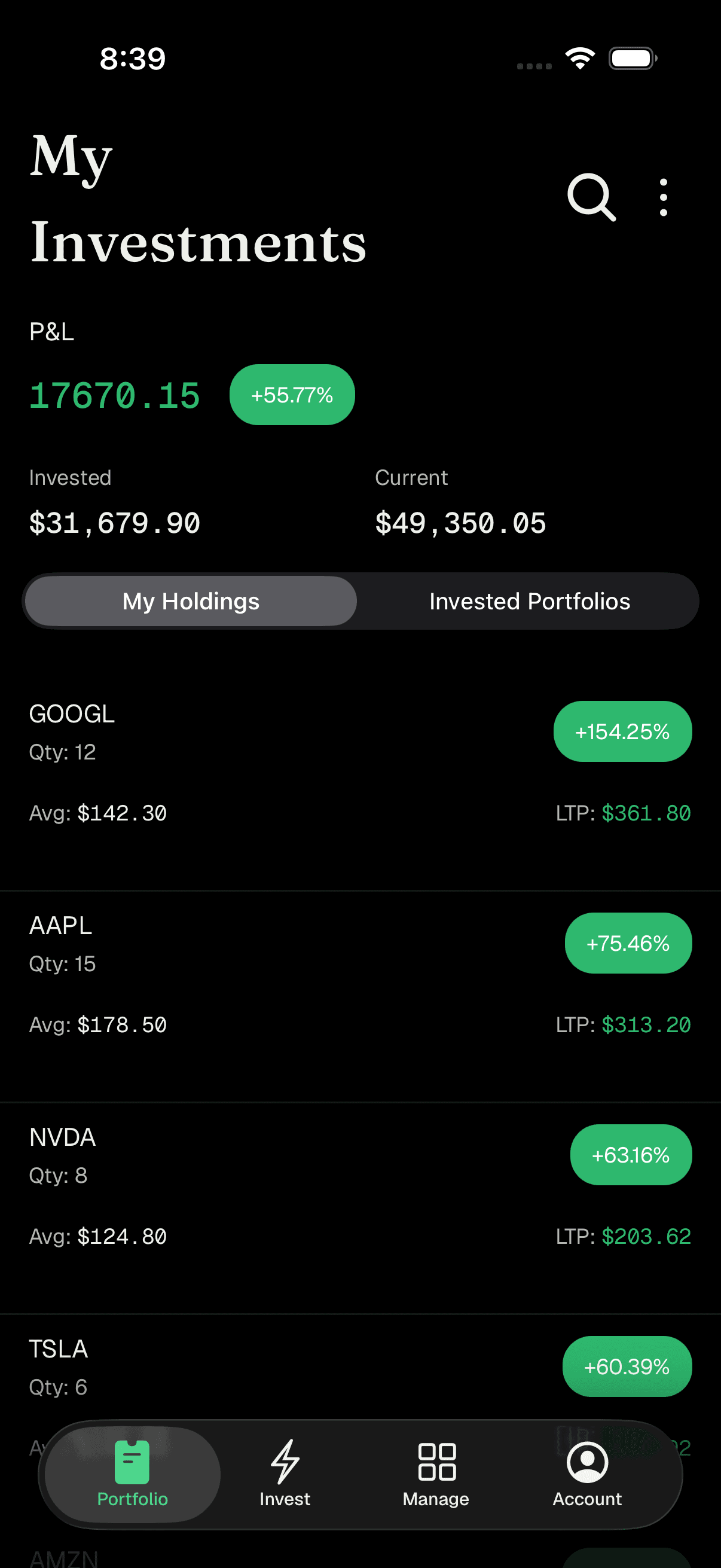
Open the My Investments tab. At the top you'll see the P&L (profit and loss) summary: your total gain or loss as a dollar amount, with a colored percentage badge beside it - green when you're up, red when you're down. Below that are two supporting figures: Invested (the total you've put in) and Current (what it's worth right now).
Portfolio overview with P&L, Invested, and Current -
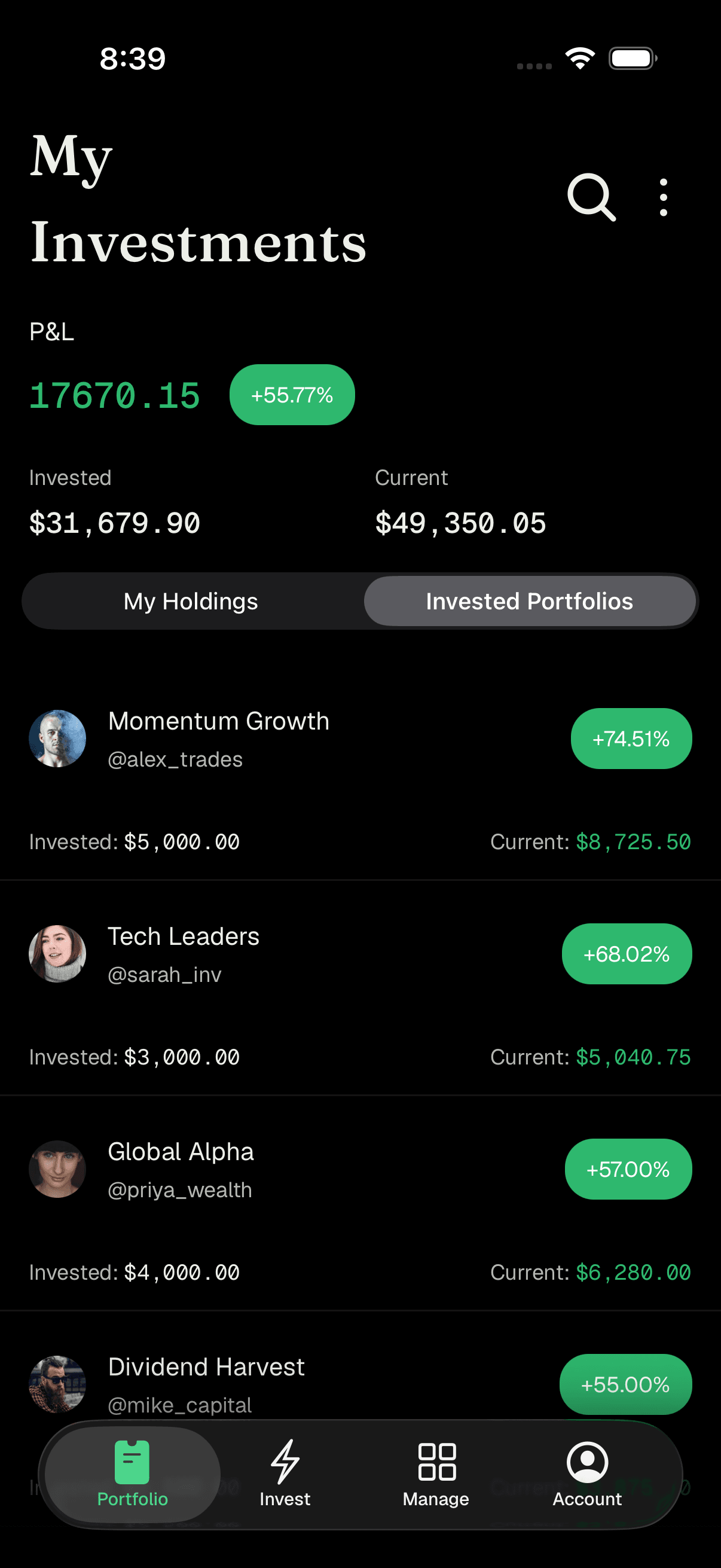
Switch between your two views. Just under the summary are two tabs:
- My Holdings - the individual stocks and ETFs you own directly.
- Invested Portfolios - the Strategizer portfolios you've invested in.
Tap either one to switch. The app remembers which view you last used.
Portfolio overview with P&L, Invested, and Current -
Read your holdings. In My Holdings, each item shows the ticker and a value figure. In Invested Portfolios, each row shows the portfolio name, the Strategizer's handle, and its performance, along with Invested and Current amounts. Tap any invested portfolio to open its full page.
-
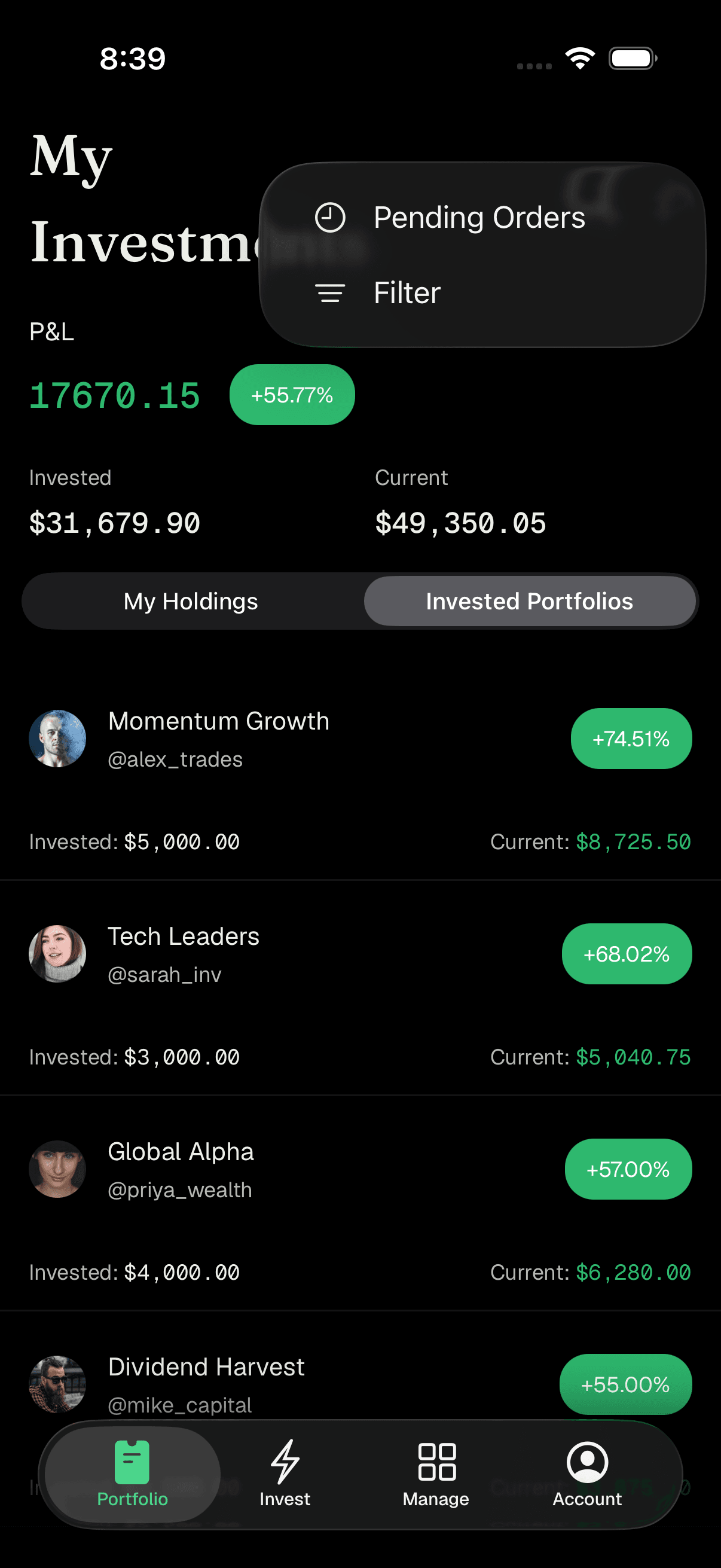
Filter and sort your list. Tap the three-dot menu (top right) and choose Filter to open the Filter Investments sheet. Here you can set:
- Portfolio - show All Portfolios or narrow to one specific portfolio.
- Display Metric - show each item's % Change, Invested amount, or Current value.
- Sort Order - Ascending, Descending, or None.
- View Type - Simplified (group holdings by ticker) or Detailed (show individual holdings per portfolio).
Tap Apply to use your choices, or Clear to reset them.
Filter Investments options -
Pull down to refresh. Swipe down on the list to refresh your values with the latest prices. Your total value updates automatically while the screen is open.
-
View pending orders. Tap the three-dot menu and choose Pending Orders to see any buy or sell orders still in progress. Each row shows the ticker, whether it's a BUY or SELL, the date, and a status such as Pending, Created, Pending Cancel, Filled, Failed, or Cancelled. Tap a row to expand it and see details like Avg Price, Quantity, Amount, any Temporary Hold, and which Portfolio it belongs to.
-
Cancel a pending order (optional). In an expanded order that can still be cancelled, tap Cancel Order, then confirm with Yes, Cancel. The list refreshes to reflect the change. Orders already marked Pending Cancel can't be cancelled again.
Tips
The colored percentage badge and green/red numbers make it easy to spot at a glance whether you're up or down.
Use Simplified view when you just want your total position per stock, and Detailed view when you want to see how each portfolio contributes.
Use the magnifying glass in the header to search for a stock without leaving the tab.
If you have many orders, the Pending Orders screen loads more as you scroll to the bottom.
Troubleshooting & FAQ
Invested is the total amount of money you put in. Current is what those investments are worth right now. The difference between them is your P&L (profit or loss).
Red means your current value is below what you invested - you're at a loss for now. Green means you're ahead. Values move with the market and update as prices change.
It's an amount set aside while your buy order is being processed. It's released once the order settles.
Only orders that are still cancellable show it. If an order is already Pending Cancel, Filled, Failed, or Cancelled, there's nothing left to cancel.
Pull down to refresh. If it still shows "Unable to fetch portfolios," check your connection and try again shortly.
Your Display Metric and Sort Order choices are remembered, but the app always reopens showing All Portfolios in Detailed view by default.