



Funding Your Account
How to link a bank account, add money to your wallet, and withdraw funds in PiTrade.
Overview
Your My Wallet screen is home base for your money in PiTrade. From here you can see your available balance, deposit funds to invest, and withdraw money back to your bank. Before you can move money, you'll link at least one bank account. This guide walks through linking a bank, verifying it, depositing, and withdrawing. What you see depends on your country: US customers deposit and withdraw by ACH bank transfer, while customers outside the US use wire transfers.
Before you begin
- Your trading account must be set up (see Setting Up Your Trading Account).
- Have your bank's routing number and account number ready if you plan to add a bank manually.
- The minimum deposit is $10.
Steps
View your wallet balance
-
Open My Wallet. At the top you'll see your Wallet (Default) balance - this is the cash available in your account.
-
If you have any deposits or withdrawals still processing, a clock icon with a number appears in the top corner. Tap it to review your pending transactions.
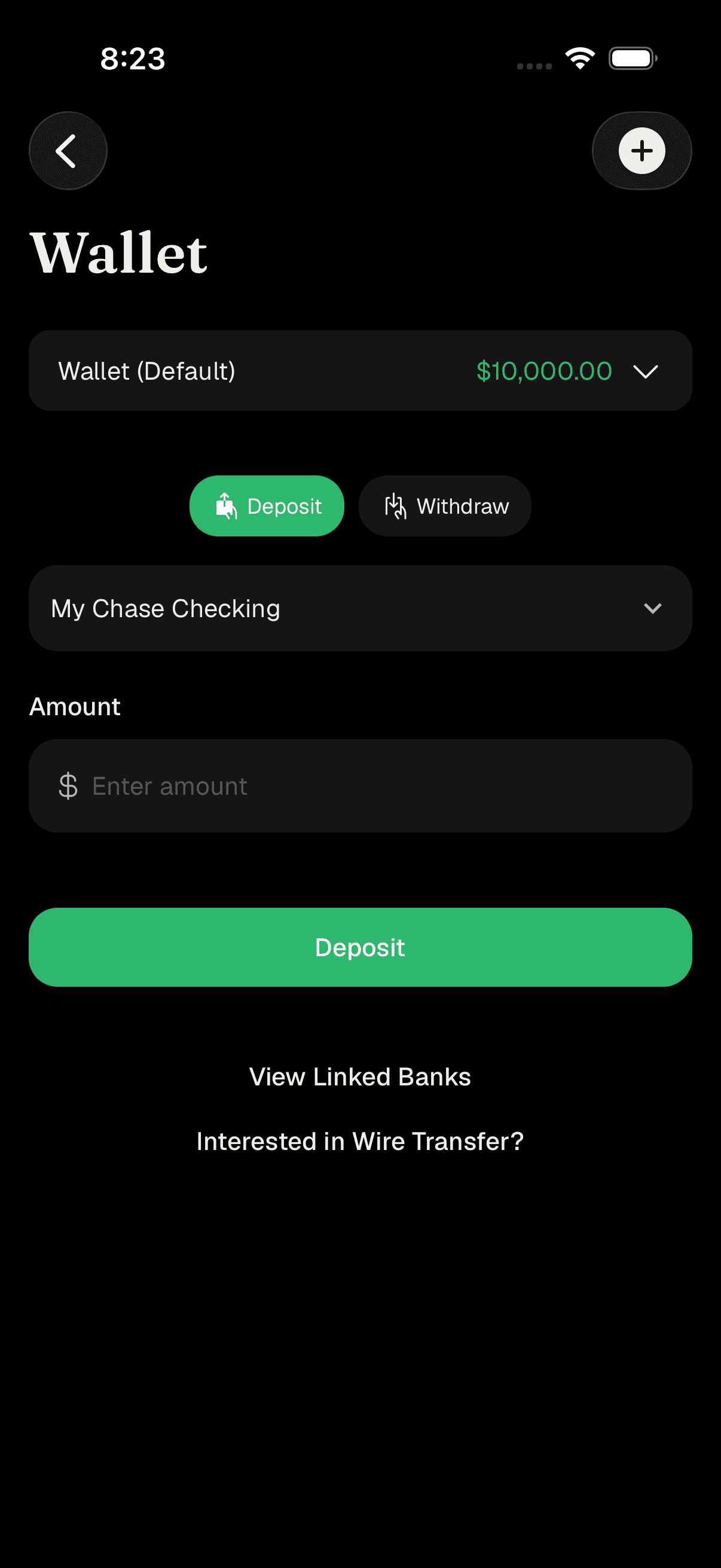
My Wallet showing balance with Deposit and Withdraw options
Link a bank account
-
Tap the plus (+) button in the top corner of My Wallet, or tap Add Bank Account / View Linked Banks on the wallet, to open the add-bank screen.
-
Choose how to link your bank:
- Link via Interactive Brokers - the fastest, most secure option. You'll be guided through connecting your bank; verification can take up to an hour.
- Add manually - enter your Routing Number, Account Number, and Bank Name, then tap Submit.
-
After linking, you'll see a confirmation that your bank account was added and is being verified.
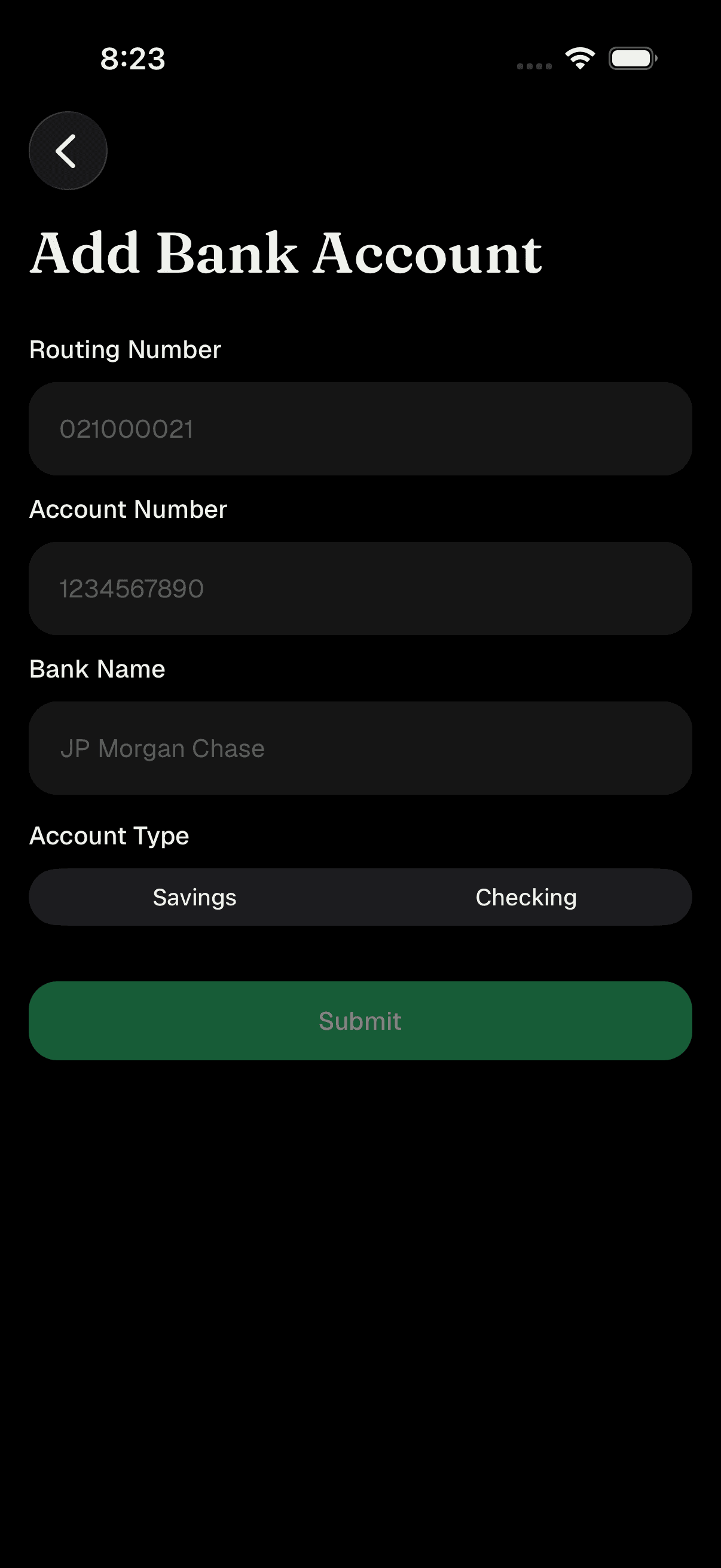
Add Bank Account screen with link and manual options
Verify your bank with micro-deposits (if needed)
- If your bank needs manual verification, we'll send two tiny deposits (each under $1) to your bank account. This usually takes a day or two to appear on your bank statement.
- When they arrive, open My Wallet and go to Linked Bank Accounts (or tap View Linked Banks). Find the account marked Verify Deposits and tap to expand it.
- Enter the two amounts in Amount 1 and Amount 2, then tap Verify Account. Once verified, the account shows as Active and is ready to use.
Deposit funds
-
On My Wallet, make sure Deposit is selected.
-
Choose the bank account you want to use from Choose a bank account.
-
Enter the amount in the Amount field (minimum $10).
-
Tap Deposit to start a standard bank transfer, or - if it's offered for your account - tap Instant Deposit to make funds available right away.
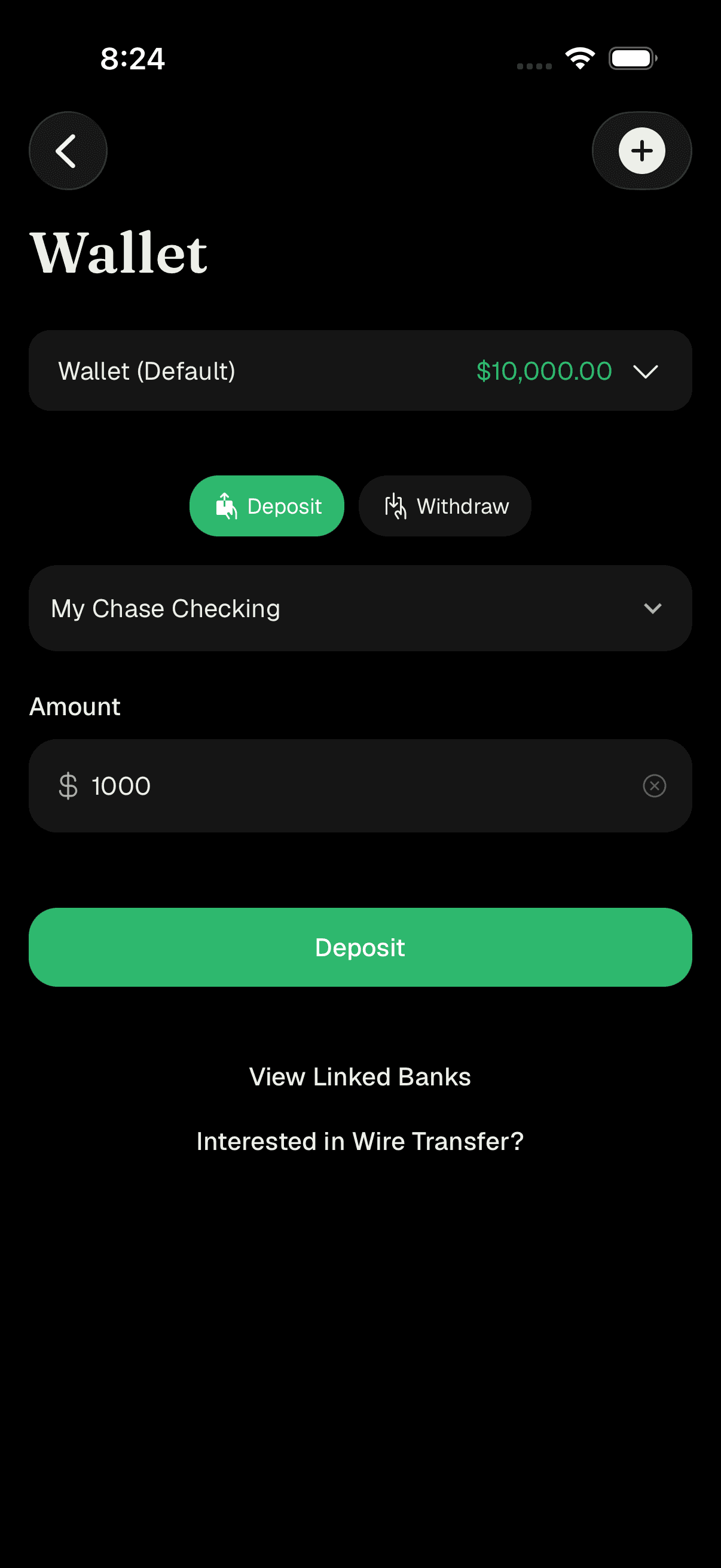
Deposit form with bank selector and amount field
Withdraw funds
- On My Wallet, switch to Withdraw.
- Choose the bank account you'd like the money sent to, then enter the amount.
- Tap Withdraw. You can only withdraw up to your available (withdrawable) balance. If you've already made a withdrawal earlier in the same calendar month, a note about a withdrawal fee may appear before you confirm.
Manage your linked banks
- From Linked Bank Accounts, tap any account to expand it and see its details - account type, routing number, account number, and last updated date - along with its status (Active, Pending, Verify Deposits, or Rejected).
- To remove a bank, expand it and tap Unlink Account, then confirm.
Tips
Linking your bank through Link via Interactive Brokers is quicker and avoids typing account numbers by hand.
Keep an eye on the status badge next to each bank. Only an Active account can be used to deposit or withdraw.
Pull down on the Linked Bank Accounts screen to refresh and see the latest status.
Micro-deposit amounts are always between $0.01 and $0.99 - enter them exactly as they appear on your bank statement.
To avoid extra fees, try to consolidate withdrawals - a second withdrawal within the same calendar month may carry a fee.
Troubleshooting & FAQ
The minimum deposit is $10.
Standard bank transfers take a little time to clear. If Instant Deposit is available for your account, your funds become available right away.
Wait for the two small micro-deposits (each under $1) to land in your bank account, then open the account under Linked Bank Accounts, enter both amounts in Amount 1 and Amount 2, and tap Verify Account.
Amounts must be between $0.01 and $0.99 and match exactly what your bank shows. Re-check the two figures on your statement and try again.
You can only withdraw your withdrawable balance, which may be lower than your total balance if some funds are still settling. The app will tell you the maximum you can withdraw.
Your first withdrawal in a calendar month is typically fine, but a second withdrawal within the same month may include a fee. If so, you'll see a note before you confirm.
If your wallet shows "No Bank Accounts," tap Add Bank Account to link one before depositing or withdrawing.
Customers outside the US fund and withdraw using wire transfers rather than ACH. You'll see options like Wire Transfer and Add a new bank for WIRE transfer instead of the US deposit flow.