



Watchlist
Keep an eye on the stocks and ETFs you care about - add them to a watchlist, watch prices update live, and sort them however you like.
Overview
A watchlist is a personal list of stocks and ETFs you want to follow without necessarily investing in them yet. PiTrade gives you several watchlists to organize your ideas, live price updates, and filters so you can view your list by price change, financial ratios, or other measures. You can also share a watchlist with friends and copy tickers from a shared list into your own.
Before you begin
- No special setup is needed to build a watchlist. You can add and track tickers at any time.
Steps
-
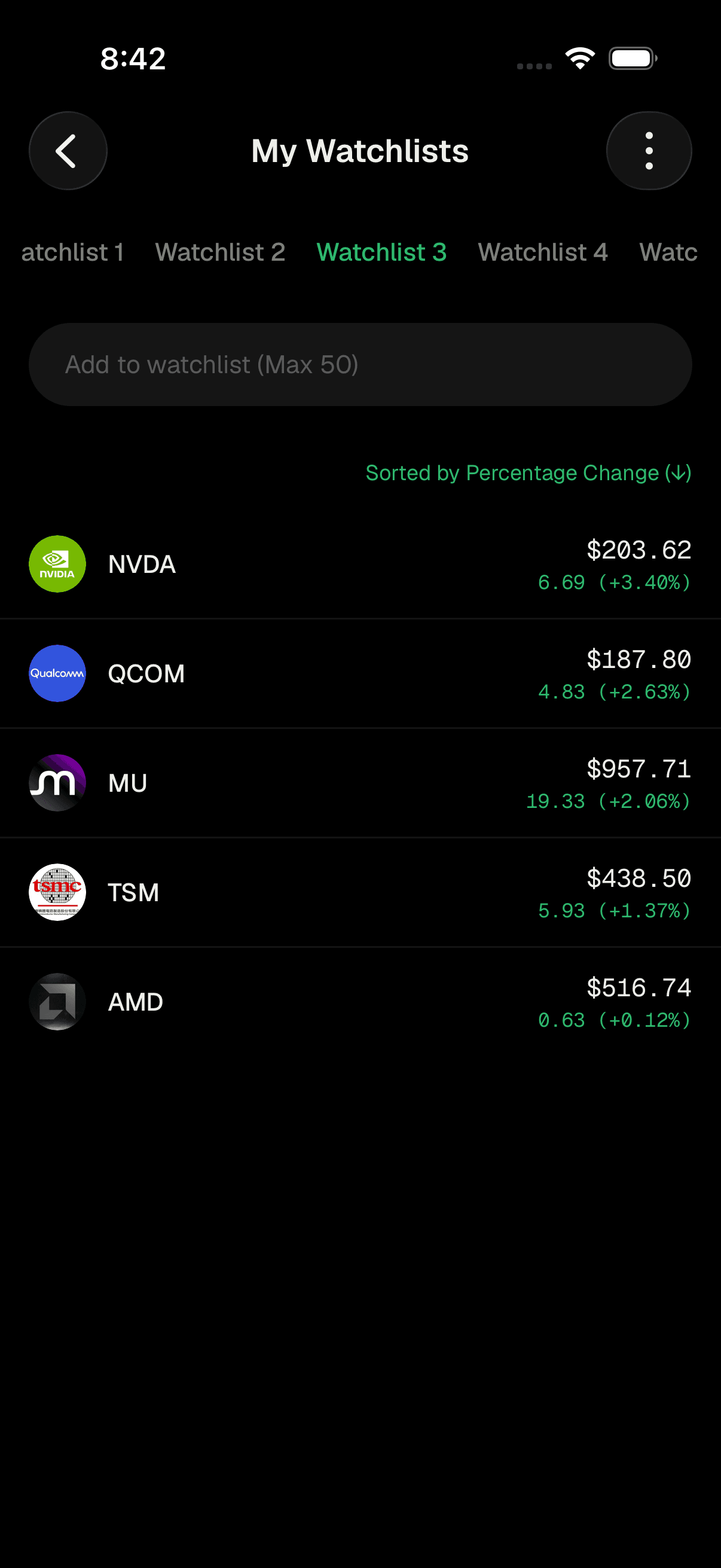
Open your Watchlist. You'll see tabs across the top for your watchlists (for example Watchlist 1, Watchlist 2, and so on). Tap a tab to switch between them.
Watchlist tabs across the top -
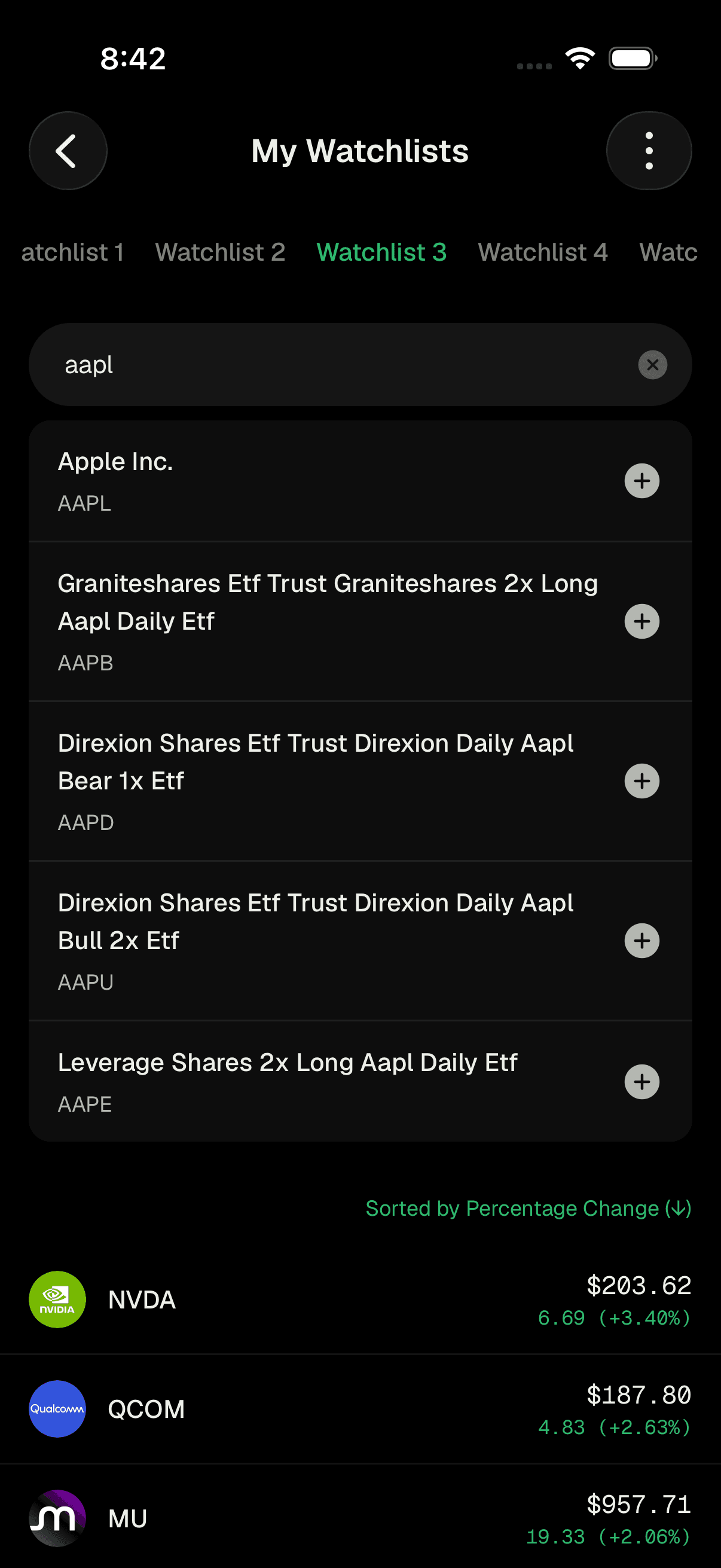
Add a ticker. In the search box labeled Add to watchlist (Max 50), start typing a company name or symbol. Matching results appear below - tap the + next to a result to add it to the current watchlist. The stock appears in your list right away.
Search and add a ticker to your watchlist -
View your list. Each row shows the company logo, its ticker, and a value on the right. By default that value is the live price with its change amount and percentage change from the previous close. Tap any row to open that stock's full page.
-
Remove a ticker. Swipe a row to the left and tap Delete to remove that stock from the watchlist.
-
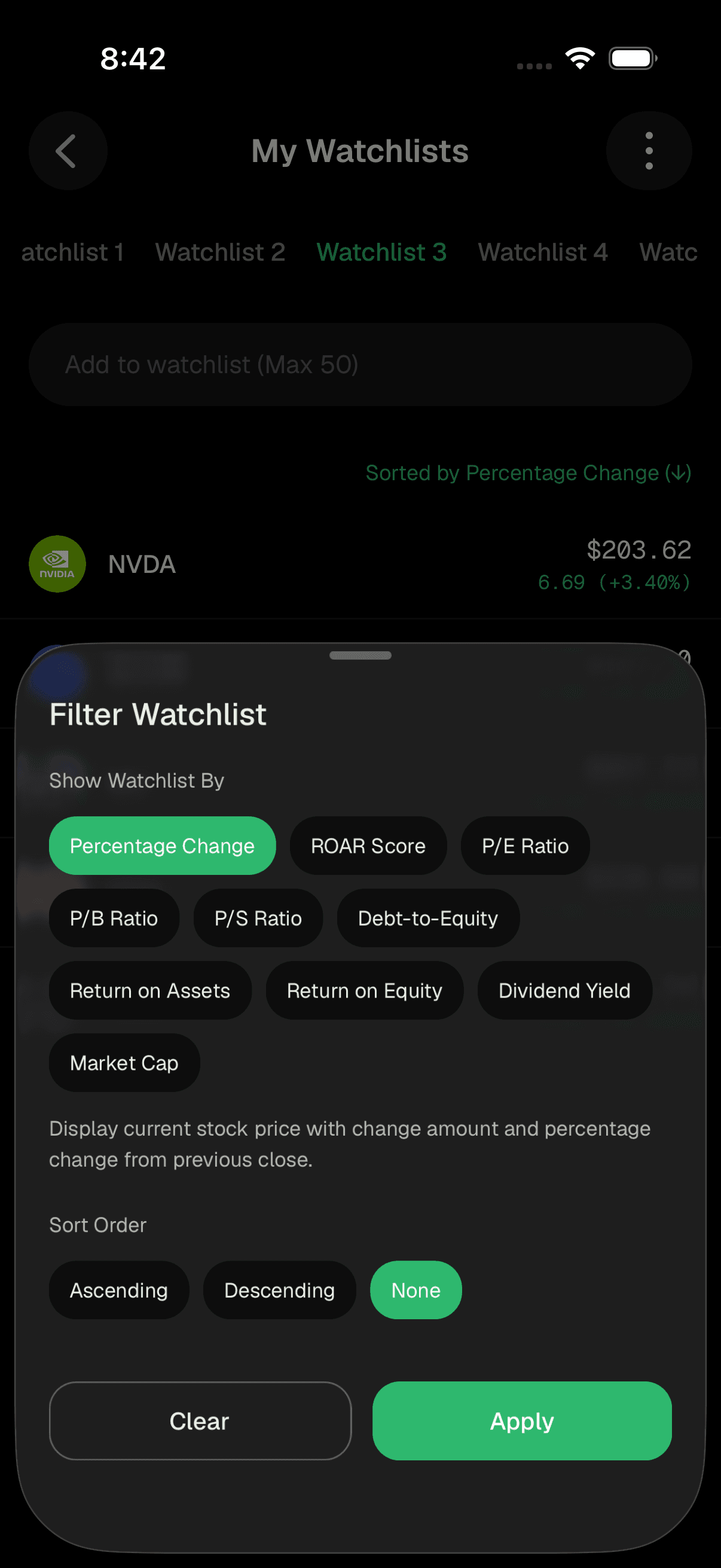
Filter and sort your watchlist. Tap the three-dot menu (top right) and choose Filter to open the Filter Watchlist sheet. Under Show Watchlist By, pick what value to display for each stock:
- Percentage Change - live price change (the default)
- ROAR Score - the probability a stock or ETF will rise 10% before it falls 10%
- P/E Ratio, P/B Ratio, P/S Ratio, Debt-to-Equity, Return on Assets, Return on Equity, Dividend Yield, or Market Cap
Under Sort Order, choose Ascending, Descending, or None. Tap Apply to use your choices, or Clear to reset to the default. A small line above the list shows how it's currently filtered or sorted.
Filter Watchlist by price, ROAR, or financial ratios -
Share a watchlist (optional). Tap the three-dot menu and choose Share. Give your shared watchlist a name (or keep the suggested one), then send it using your device's share options. Anyone who opens the link sees the same stocks.
-
Copy a shared watchlist into yours (optional). When viewing a shared watchlist, tap the three-dot menu and choose Copy to Watchlist, then pick which of your watchlists to add the stocks to. You'll get a confirmation once it's updated.
Copy a shared watchlist into your own
Tips
You can keep up to 50 tickers in a single watchlist, and you have several separate watchlists to organize different themes or ideas.
Switch the display to ROAR Score to compare stocks by their reward-versus-risk outlook rather than just today's price move.
Sorting by Descending Percentage Change is a quick way to see your biggest movers of the day at the top.
Troubleshooting & FAQ
You have several watchlists available (Watchlist 1 through Watchlist 5), and each can hold up to 50 tickers.
ROAR (Reward Opportunity and Risk), created by Rob Isbitts, is a quick way to weigh potential reward against risk. Learn more at https://roar.pitrade.com
Each filter shows a different measure - price change, a financial ratio, market cap, and so on. Switching the filter changes what value appears on the right of each row.
Each watchlist holds a maximum of 50 tickers. Remove one you no longer follow (swipe left and tap Delete) to make room.
Live prices refresh automatically while you're viewing the price filter. If a stock shows a dash instead of a value for a financial ratio, that data may simply not be available for that stock.
No. Sharing sends a read-only snapshot of your tickers. If someone wants their own editable copy, they can use Copy to Watchlist to add those stocks to one of their own watchlists.